benarent.co.uk

Ben Arent
Product Designer
info@benarent.co.uk

Print you own Christmas Wrapping Paper.
December 21, 2007

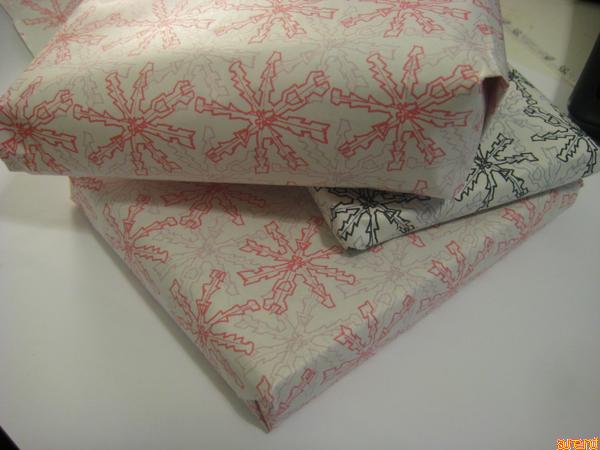
wrapped Christmas Presents

To finish of my Christmas Presents I decided not to give into the £1 generic Christmas wrapping paper and decided to make my own.

For this you will need.

> A Printer (I use a R1800, as It allows me to print A3, and a roll of A3 (effectively double the width of A3).
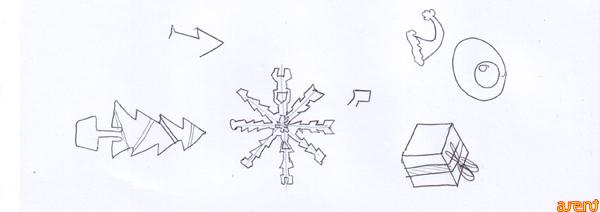
> A sketch of something Christmas, I drew a rather odd looking snowflake.
> Photoshop.
> Some blank newspaper, I picked mine up from the London Graphic Center. It cost 20p for a A1 Sheet, in which I cut into half.

Continue to find out more and download my wrapping paper designs.

1. I first scanned in my rather odd looking snowflake. I chose just to the image of the snowflake, and likes its handrawn rustic charm.
sketch of snowflake

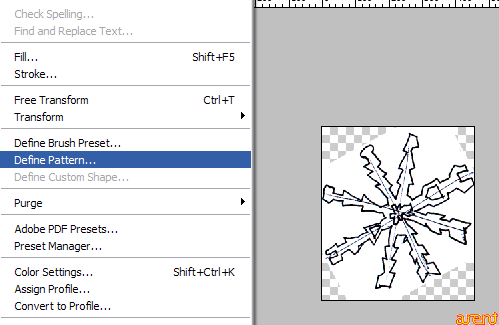
2. Crop, change levels, and define a pattern in photoshop.
define a patten

3. Create a Canvas the size of your paper, and use the pattern as a fill. I then created another layer which i filled and moved into the center of the image.
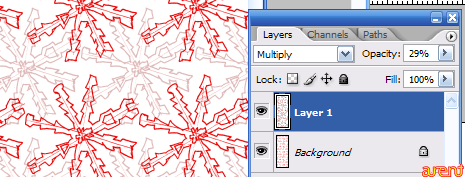
center and align image

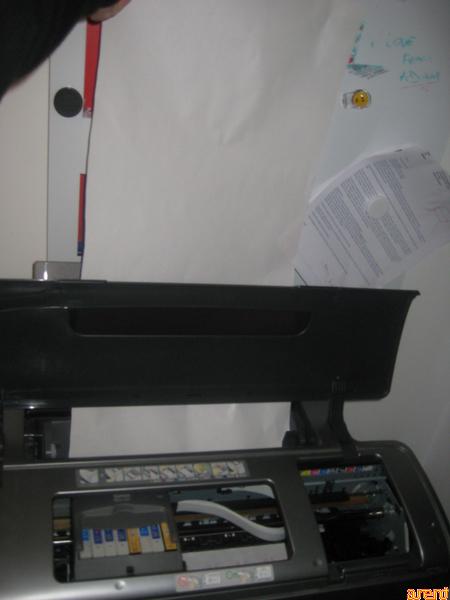
4. Setup your printer, I’m lucky that the Epson Stylus R1800 can print banners without stopping. I printed my wrapping paper on 20p blank newspaper.

printing with the R1800

5. Fold your paper and Admire. All you need to do now is by your presents and wrap it up!
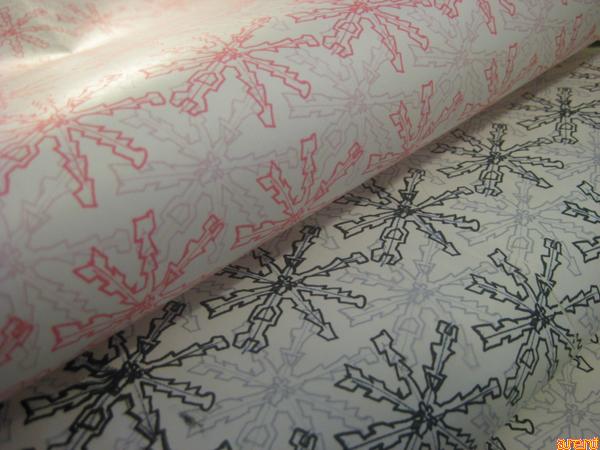
Print your own Christmas Wrapping paper.


8 Comments »

  1. Great Idea! now i just have to buy a A3 printer… :)

    Comment by Iris Mishly — December 24, 2007 @ 1:28 am

  2. I agree with Iris. Great idea! I also have an R1800 printer. What paper setting did you use on the R1800 to print on the blank newsprint?

    Comment by Robin — December 27, 2007 @ 11:55 am

  3. Thanks for the comments Iris and Robin. When setting up the paper, I started using ‘fine art’ paper. but if found the normal setting, or even draft setting was good enough. As you will find that the newsprint will absorb a lot of ink.

    Comment by benarent — December 28, 2007 @ 3:35 am

  4. Can this be done on a regular inkjet printer? I have two, a color Canon and HP…

    Comment by CareCrafter — March 14, 2008 @ 1:02 pm

  5. Yes, you can use any printer. Normally there is a poster mode that you can use to create a larger and longer piece of paper.

    Comment by benarent — March 14, 2008 @ 1:42 pm

  6. How did you get it to repeat the patter all over the paper?

    Comment by Len — July 11, 2008 @ 3:11 pm

  7. Hi, If i don’t have an A3 printer where can i get it printed? Do you know someone that can print it for me?

    Comment by Katie — October 16, 2008 @ 1:46 am

  8. [...] How to print your own Christmas Wrapping Paper.  [...]

    Pingback by » benarent.co.uk - 31,000 Visitors in 08 - 09. — January 4, 2009 @ 8:40 pm

RSS feed for comments on this post. TrackBack URI

Leave a comment

.